

Lowest price in KVM 2.0
The most affordable way into KVM 2.0 at $99. You get the same hardware and software core as Full (Radxa Zero 3W, 1 GB RAM, 1080p 60 FPS capture) without paying for a case or screen you might not need.
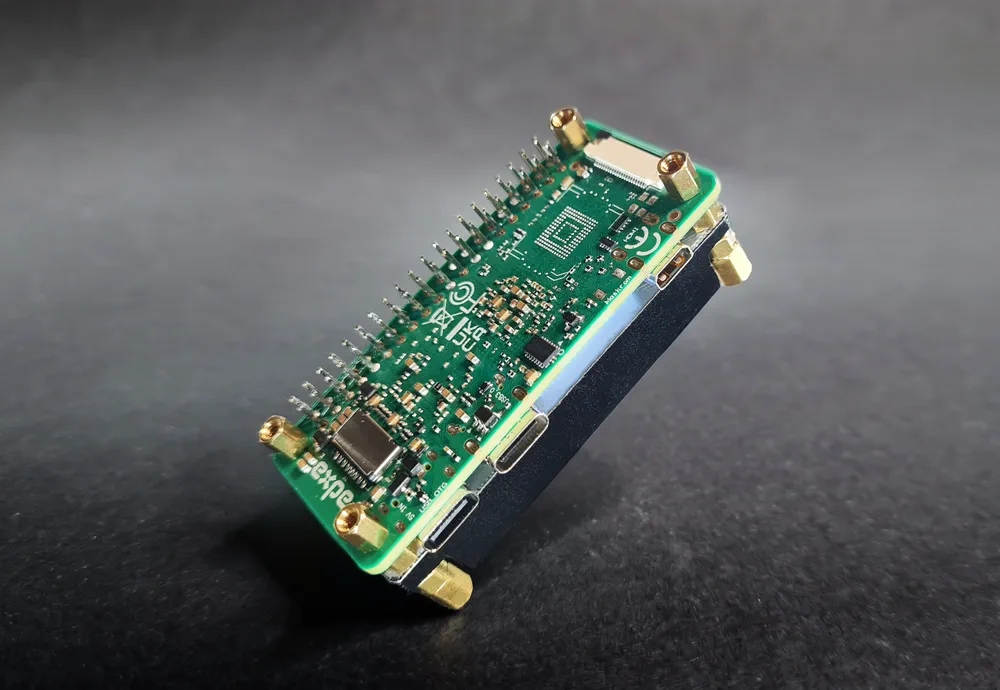
The lowest-cost IP-KVM in the KVM 2.0 lineup, built on the Radxa Zero 3W with a heatsink. Includes an HDMI-to-USB capture dongle and Wi-Fi 6, with a lifetime USBridge OS license included and sent to your email, no subscription.
Lifetime USBridge OS license included, sent by email
HDMI cable from the computer to the video capture dongle on the KVM.
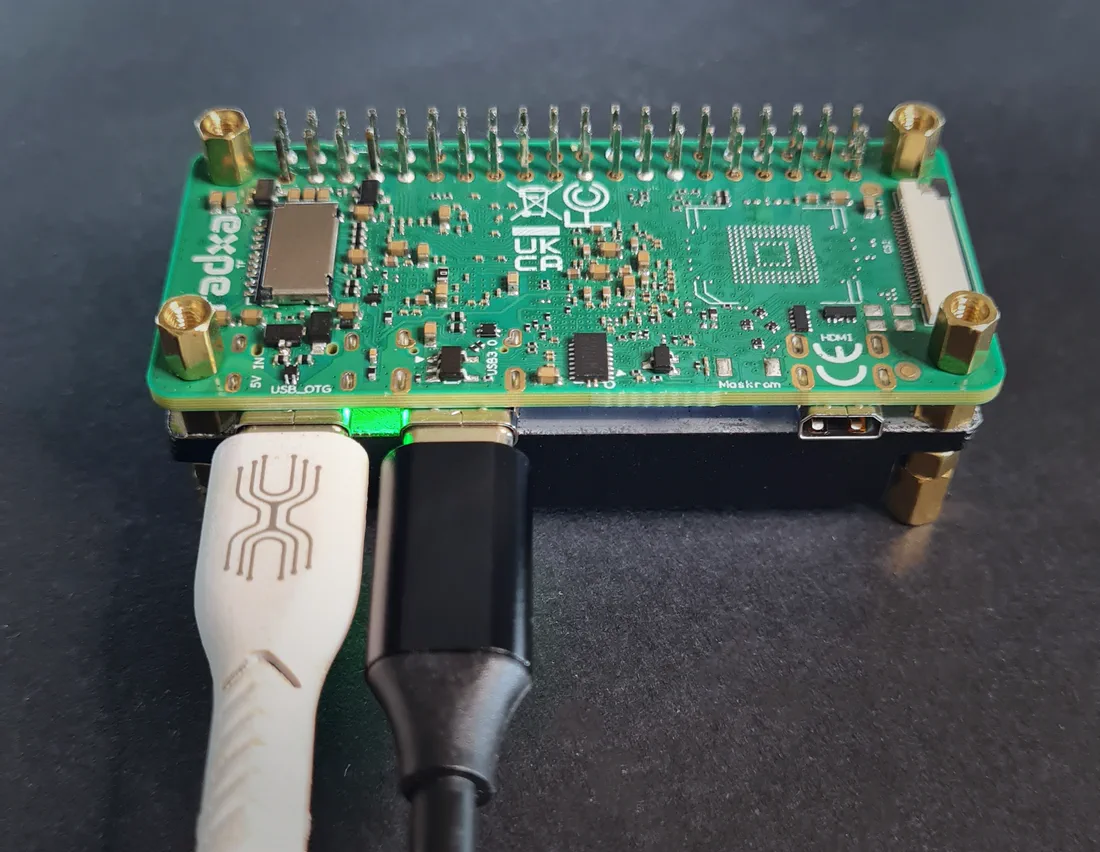
The most affordable way into KVM 2.0 at $99. You get the same hardware and software core as Full (Radxa Zero 3W, 1 GB RAM, 1080p 60 FPS capture) without paying for a case or screen you might not need.
Starts as a headless bare board and grows with you. Add the Screen Module ($11.99) at any time, then plug the ATX Power Control Board ($14.50) into the screen module for remote power on, forced shutdown and reset.
No subscription. Smooth 1080p 60 FPS streaming with about 45 ms latency, virtual media (ISO, IMG, VDI, VMDK), gamepad emulation, Btrfs snapshots and over-the-air updates. Add a pre-flashed MicroSD card for +$5, or flash it yourself.
A compact bare board with a pre-installed aluminum heatsink. Made for headless setups, your own 3D-printed enclosure, or mounting inside a rack where space is tight. Onboard Wi-Fi 6, and Ethernet through any USB hub with a network port.
Low costs $99 and runs the same processor and software as every KVM 2.0 kit. Here is how it compares with other IP KVMs.
Low runs on a quad-core Rockchip RK3566 with 1 GB RAM, where boards like Sipeed NanoKVM use a single-core chip with 256 MB. You also get Wi-Fi 6, 1080p 60 FPS capture, native clients for every OS and a lifetime license. Need a screen or power control later? The Screen Module and ATX board plug in when you need them.
JetKVM costs about $103 and comes in a fixed case. Low costs $99 as a bare board you can build into any setup, and runs the same feature set: Moonlight streaming, gamepad emulation, ISO, IMG, VDI and VMDK images and read-only Btrfs snapshots.
PiKVM V4 Mini and TinyPilot Voyager 3 (around $399) cost several times more. Low gives you the essentials, BIOS access, virtual media, audio and Tailscale built in, for $99, and lets you start with the bare board and add a screen and power control as you go.
An HDMI cable, a USB-C cable and a MicroSD card with KVM OS. Order the pre-flashed card for +$5, or flash your own with the flashing guide. Then connect HDMI from the computer to the capture dongle and USB-C from the board to the computer.
Plug the USB-C cable into your computer: it gets a virtual USB network adapter and the KVM is reachable at 10.55.0.1. Open http://10.55.0.1 in a browser for the pairing QR code, the device key and the Wi-Fi settings. The headless setup guide walks through every step.
Yes. The Screen Module ($11.99) mounts on the board and shows the IP address and status. The ATX Power Control Board ($14.50) plugs into the screen module and adds remote power on, power off and reset.
The board has onboard Wi-Fi 6 and Bluetooth. For a wired connection, plug in a USB hub with an Ethernet port: almost any hub works. The hub is not included.
Native desktop apps for Windows, macOS (Apple Silicon) and Linux, mobile apps for iOS and Android, the web client at web.usbridge.io in any browser, and any Moonlight client for low-latency 1080p 60 FPS streaming.
Yes. Tailscale is built in, so you can connect from anywhere without port forwarding or a static public IP.
Yes. KVM OS updates over the air from the client or the web interface, with no need to reflash the MicroSD card.
Both run on the same Radxa Zero 3W with the same software. Standard adds a custom case with a 1.3-inch IPS screen and joystick, a pre-flashed MicroSD card and cables. Low is the bare board with a heatsink and the capture dongle.
Low is sold as a bare development board and ships without CE/FCC certification. The cased KVM 2.0 kits are going through CE certification now.
No. The KVM OS license is included with the device and lasts for life, with no subscription and no hidden fees.
The KVM takes its power from the USB-C cable to the host. When you restart or shut down the host computer, that port loses power and the KVM reboots too. To keep it online, use a USB-C power and data Y-splitter cable (also called a power/data separator).
These splitters cost about $3–5 on Amazon, AliExpress or at a local electronics store: search for “USB-C power and data Y-splitter”.
Use a standard 5V adapter. Do not use high-voltage USB-PD fast chargers.
We'll write about new devices and firmware updates.
By subscribing you accept the privacy policy. You can unsubscribe at any time: write to kvm@usbridge.io.