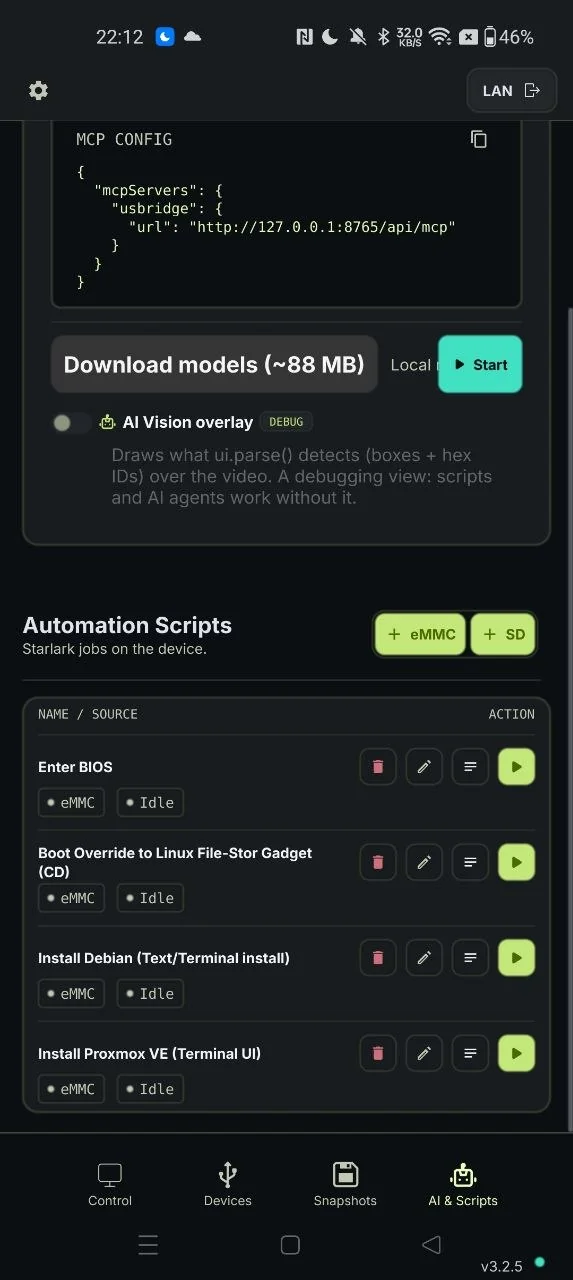
# name: Install Proxmox VE (Terminal UI)
# desc: Fully offline/automated Proxmox VE 9.2 install via the ncurses Terminal UI installer.

ENTER = 0x28
ESC = 0x29
BACKSPACE = 0x2A
TAB = 0x2B
SPACE = 0x2C
HOME = 0x4A
PAGEUP = 0x4B
END = 0x4D
PAGEDOWN = 0x4E
RIGHT = 0x4F
LEFT = 0x50
UP = 0x52
DOWN = 0x51

ROOT_PASSWORD = "112233445566"
ADMIN_EMAIL_USER = "example"
ADMIN_EMAIL_DOMAIN = "gmail.com"
HOSTNAME = "test.usbridge.io"
IP_ADDRESS = ""
CIDR = ""
GATEWAY = ""
DNS = ""


def dump_screen(tag="SCREEN DUMP"):
    print("--- %s ---" % tag)
    for line in screen_text():
        if line.strip() != "":
            print("  | " + line)
    print("--- END %s ---" % tag)


def checkpoint(name):
    print("=== CHECKPOINT: %s ===" % name)
    dump_screen("CHECKPOINT: " + name)


def looks_like_wrong_grub():
    return screen_fuzzy_contains("gnu grub", max_errors=1) or (
        screen_fuzzy_contains("advanced options for", max_errors=2)
        and screen_fuzzy_contains("gnu/linux", max_errors=1)
    )


def wait_grub_or_fallback(ceiling_ms=40000, poll_ms=1000, stable_count=3):
    for i in range(5):
        sleep(poll_ms)
        if screen_fuzzy_contains(
            "Terminal UI", max_errors=1
        ) or screen_fuzzy_contains("arrow keys", max_errors=2):
            print("GRUB menu text matched directly after ~%dms" % ((i + 1) * poll_ms))
            return True
        if (
            screen_fuzzy_contains("bios", max_errors=1)
            or screen_fuzzy_contains("aptio", max_errors=1)
            or screen_fuzzy_contains("setup utility", max_errors=1)
        ):
            continue

    print("Waiting for GRUB screen to settle...")
    if wait_screen_settled(
        timeout_ms=ceiling_ms,
        poll_ms=poll_ms,
        max_diff_lines=2,
        stable_count=stable_count,
    ):
        print("GRUB screen settled.")
        return True

    return False


def wait_for_eula_or_bail(timeout_ms=240000, poll_ms=2000):
    print("Waiting for: EULA screen (EULA + I agree button)")
    for i in range(timeout_ms // poll_ms):
        if screen_fuzzy_contains("EULA", max_errors=1) and screen_fuzzy_contains(
            "I agree", max_errors=2
        ):
            print("OK: reached EULA screen")
            return True
        if screen_fuzzy_contains(
            "welcome to the proxmox virtual environment", max_errors=3
        ) or screen_match("[a-z0-9._-]+ login:"):
            print("ABORT: booted into an ALREADY-INSTALLED system.")
            dump_screen("ALREADY INSTALLED")
            return False
        sleep(poll_ms)
    dump_screen("EULA TIMEOUT")
    return False


def still_on_eula():
    return screen_fuzzy_contains("EULA", max_errors=1) and screen_fuzzy_contains(
        "I agree", max_errors=2
    )


def accept_eula(max_attempts=4):
    for attempt in range(max_attempts):
        sleep(1000)
        if attempt == 0:
            key_press(ENTER)
        elif attempt == 1:
            key_press(RIGHT)
            sleep(3000)
            key_press(ENTER)
        else:
            key_press(TAB)
            sleep(3000)
            key_press(ENTER)
        sleep(2000)
        if not still_on_eula():
            print("Accepted EULA (attempt %d)" % (attempt + 1))
            return True
        print("EULA still on screen after attempt %d, retrying..." % (attempt + 1))
    return False


def wait_and_log(text, timeout_ms, label, max_errors=0):
    print("Waiting for: %s (%s)" % (label, text))
    ok = wait_text(text, timeout_ms=timeout_ms, max_errors=max_errors)
    if ok:
        print("OK: reached " + label)
    else:
        dump_screen("TIMEOUT WAITING FOR: " + label)
    return ok


def still_looks_like_bios(attempts=12, delay_ms=1700):
    for attempt in range(attempts):
        in_bios_interactive = screen_fuzzy_contains(
            "boot override", max_errors=2
        ) or screen_fuzzy_contains("F10: Save", max_errors=1)
        looks_like_grub = screen_fuzzy_contains(
            "Terminal UI", max_errors=1
        ) or screen_fuzzy_contains("arrow keys", max_errors=2)
        if looks_like_grub:
            return False
        if in_bios_interactive:
            return True
        if attempt < attempts - 1:
            sleep(delay_ms)
    return False


def clear_field_end():
    key_press(END)
    sleep(200)
    for i in range(40):
        key_press(BACKSPACE)
        sleep(50)
    sleep(200)


def clean_ocr_text(text):
    t = text.lower()
    for ch in [".", ",", "'", "`", "~", "^", "_", "|", " ", "-", ":", "(", ")", "<", ">"]:
        t = t.replace(ch, "")
    return t


def keyboard_line_is_us():
    for line in screen_text():
        cl = clean_ocr_text(line)
        if "keyboard" in cl or "layout" in cl:
            if "usenglish" in cl or "english" in cl or "u.s." in cl:
                return True
    return False


def select_us_keyboard_layout():
    print("Selecting U.S. keyboard layout...")

    # 1. Dismiss any open popups
    key_press(ESC)
    sleep(300)
    key_press(ESC)
    sleep(500)

    # 2. Normalize to <Next>: drop to bottom button row and move full right
    for _ in range(4): key_press(DOWN); sleep(150)
    for _ in range(3): key_press(RIGHT); sleep(150)
    sleep(500)

    # 3. Exactly ONE Up reaches Keyboard layout field
    print("Navigating UP x1 from <Next> to Keyboard Layout field...")
    key_press(UP)
    sleep(800)

    # 4. Open dropdown menu
    key_press(ENTER)
    sleep(1200)

    # 5. Jump to the bottom of the list using PageDown
    print("Scrolling to bottom of layout list via PageDown x4...")
    for _ in range(4):
        key_press(PAGEDOWN)
        sleep(250)
    sleep(600)

    # 6. Move UP x1 from 'United Kingdom' (bottom) to 'U.S. English' (second to last)
    print("Moving UP x1 to select U.S. English...")
    key_press(UP)
    sleep(600)

    # 7. Confirm selection
    key_press(ENTER)
    sleep(1200)

    if keyboard_line_is_us():
        print("Successfully selected U.S. English via PageDown+Up")
        dump_screen("KEYBOARD VERIFIED US")
        return True

    # 8. Fallback: cycle with RIGHT arrow if popup was not active
    print("Popup PageDown missed, cycling field with RIGHT arrow...")
    for step in range(30):
        if keyboard_line_is_us():
            print("Successfully found U.S. English after %d cycles" % step)
            dump_screen("KEYBOARD VERIFIED US")
            return True
        key_press(RIGHT)
        sleep(300)

    dump_screen("KEYBOARD SELECTION FAILED")
    return False


def type_email():
    type_text(ADMIN_EMAIL_USER + "@" + ADMIN_EMAIL_DOMAIN)


def configure_network_fields():
    print("Configuring network fields...")
    dump_screen("NETWORK SCREEN ARRIVAL")

    for _ in range(5):
        key_press(UP)
        sleep(300)

    clear_field_end()
    type_text(HOSTNAME)
    sleep(500)
    print("Hostname set to " + HOSTNAME)

    if IP_ADDRESS != "":
        key_press(TAB)
        sleep(300)
        clear_field_end()
        type_text(IP_ADDRESS)
        sleep(500)
        key_press(UP)
        sleep(300)

    if CIDR != "":
        key_press(TAB)
        sleep(200)
        key_press(TAB)
        sleep(200)
        clear_field_end()
        type_text(CIDR)
        sleep(500)
        key_press(UP)
        sleep(200)
        key_press(UP)
        sleep(300)

    if GATEWAY != "":
        for _ in range(3):
            key_press(TAB)
            sleep(200)
        clear_field_end()
        type_text(GATEWAY)
        sleep(500)
        for _ in range(3):
            key_press(UP)
            sleep(200)

    if DNS != "":
        for _ in range(4):
            key_press(TAB)
            sleep(200)
        clear_field_end()
        type_text(DNS)
        sleep(500)
        for _ in range(4):
            key_press(UP)
            sleep(200)


def landmark_seen(text, max_errors):
    clean_needle = clean_ocr_text(text)
    for line in screen_text():
        if fuzzy_match(clean_needle, clean_ocr_text(line), max_errors):
            return True
    return False


def abort_dialog_seen():
    return screen_fuzzy_contains("Abort installation", max_errors=2) or screen_fuzzy_contains("abort the installation", max_errors=2)


def install_failed_seen():
    for line in screen_text():
        clean = clean_ocr_text(line)
        if "failed" in clean and ("install" in clean or "package" in clean or "error" in clean or "extract" in clean or "partition" in clean or "create" in clean):
            return True
    return False


def install_progress_visible():
    return (
        screen_fuzzy_contains("extracting", max_errors=1)
        or screen_fuzzy_contains("create LVs", max_errors=1)
        or screen_fuzzy_contains("installing", max_errors=1)
        or screen_fuzzy_contains("creating root filesystem", max_errors=3)
        or screen_fuzzy_contains("cleanup root-disks", max_errors=2)
        or screen_fuzzy_contains("unmounting", max_errors=1)
        or screen_fuzzy_contains("resizing", max_errors=1)
        or screen_fuzzy_contains("copying files", max_errors=2)
        or screen_fuzzy_contains("running post", max_errors=2)
        or screen_match("%")
        or screen_match("[0-9]{1,3} *[%g]")
    )


def advance_from_network_screen():
    print("Advancing from Network configuration to Summary...")
    for attempt in range(3):
        if abort_dialog_seen():
            key_press(ESC)
            sleep(400)
            key_press(ENTER)
            sleep(500)

        print("Navigating DOWN x6 from Hostname to button row...")
        for _ in range(6):
            key_press(DOWN)
            sleep(200)

        print("Moving RIGHT x2 to focus <Next>...")
        for _ in range(2):
            key_press(RIGHT)
            sleep(200)

        key_press(ENTER)
        sleep(3000)

        if landmark_seen("Summary", 1) or install_progress_visible():
            print("Successfully advanced to Summary/Install screen")
            dump_screen("SUMMARY REACHED")
            return True

        print("Screen did not advance on attempt %d, recovering..." % (attempt + 1))
        dump_screen("NETWORK ADVANCE RETRY")
        if landmark_seen("Root password", 1):
            key_press(ENTER)
            sleep(2000)
            for _ in range(5):
                key_press(UP)
                sleep(200)

    return False


def main():
    print("=== Proxmox VE Terminal UI unattended install ===")

    print("Rebuilding USB gadget (keyboard, mouse, install ISO)...")
    reconnect_gadget(keyboard=True, mouse=True, rndis=False, sources=["proxmox-ve_9.2-1.iso"])
    sleep(5000)

    run_script("boot_override_cd.star")
    sleep(500)

    if still_looks_like_bios():
        print("ABORT: still in interactive BIOS Setup Utility after boot_override_cd.star")
        dump_screen("STILL IN BIOS")
        return
    checkpoint("BIOS boot-override -> booting ISO")

    wait_grub_or_fallback()
    if looks_like_wrong_grub():
        print("ABORT: detected installed system GRUB menu instead of ISO installer")
        dump_screen("WRONG GRUB")
        return
    key_press(DOWN)
    sleep(300)
    key_press(ENTER)
    print("Selected: Install Proxmox VE (Terminal UI)")
    checkpoint("grub -> installer boot")

    if not wait_for_eula_or_bail(240000):
        print("ABORT: EULA screen never appeared")
        return
    if not accept_eula():
        print("ABORT: could not accept EULA")
        return
    checkpoint("EULA accepted")

    harddisk_seen = False
    country_seen_early = False
    print("Waiting for target harddisk screen (or Country screen if skipped)...")
    for i in range(150):
        if screen_fuzzy_contains("harddisk", max_errors=1):
            harddisk_seen = True
            break
        if screen_fuzzy_contains("Country", max_errors=1) and screen_fuzzy_contains(
            "Timezone", max_errors=1
        ):
            country_seen_early = True
            break
        sleep(1000)

    if not harddisk_seen and not country_seen_early:
        print("ABORT: target harddisk screen never appeared")
        dump_screen("NO HARDDISK SCREEN")
        return

    if harddisk_seen:
        dump_screen("TARGET DISK SCREEN")
        sleep(3000)
        key_press(ENTER)
        print("Accepted default target disk")
        checkpoint("target disk accepted")
    else:
        checkpoint("target disk accepted (implicitly skipped)")

    print("Waiting for: country/timezone screen (Country + Timezone)")
    country_seen = False
    for i in range(15):
        if screen_fuzzy_contains("Country", max_errors=1) and screen_fuzzy_contains(
            "Timezone", max_errors=1
        ):
            country_seen = True
            break
        sleep(1000)
    if not country_seen:
        print("ABORT: country screen never appeared")
        dump_screen("NO COUNTRY SCREEN")
        return

    keyboard_layout_seen = False
    for i in range(10):
        if screen_fuzzy_contains("keyboard layout", max_errors=2):
            keyboard_layout_seen = True
            break
        sleep(300)
    if not keyboard_layout_seen:
        print("ABORT: 'Keyboard layout' field never appeared")
        dump_screen("NO KEYBOARD FIELD")
        return

    if not select_us_keyboard_layout():
        print("ABORT: could not confirm U.S. keyboard layout")
        return

    for _ in range(4): key_press(DOWN); sleep(150)
    for _ in range(3): key_press(RIGHT); sleep(150)
    sleep(500)
    key_press(ENTER)
    print("Accepted country/timezone, keyboard layout confirmed U.S.")
    checkpoint("country/timezone/keyboard accepted")

    if not wait_and_log("Root password", 15000, "password screen", max_errors=1):
        print("ABORT: password screen never appeared")
        return
    sleep(1500)
    type_text(ROOT_PASSWORD)
    sleep(200)
    key_press(TAB)
    sleep(300)
    type_text(ROOT_PASSWORD)
    sleep(200)
    key_press(TAB)
    sleep(300)
    clear_field_end()
    type_email()
    sleep(300)
    print("Filled password + email")
    checkpoint("password/email filled")

    reached_network = False
    for attempt in range(6):
        for i in range(3):
            key_press(TAB)
            sleep(400)
        key_press(ENTER)
        sleep(3000)
        if (
            landmark_seen("Management", 3)
            or landmark_seen("Hostname", 2)
            or landmark_seen("Gateway", 2)
            or landmark_seen("interface", 2)
        ):
            reached_network = True
            break
        if abort_dialog_seen():
            key_press(ENTER)
            sleep(800)
            continue
        if landmark_seen("Timezone", 2) or landmark_seen("Country", 2):
            key_press(ENTER)
            sleep(1200)
            continue
    if not reached_network:
        print("ABORT: could not advance past password screen")
        dump_screen("PASSWORD SCREEN STUCK")
        return

    checkpoint("password screen -> network config")
    sleep(1500)
    configure_network_fields()

    if not advance_from_network_screen():
        print("ABORT: could not advance past network config screen")
        dump_screen("NETWORK SCREEN STUCK")
        return

    checkpoint("network config -> summary")
    if install_progress_visible() or not screen_fuzzy_contains(
        "Previous", max_errors=1
    ):
        print("Install already in progress — skipping Summary keystrokes")
    else:
        sleep(500)
        key_press(RIGHT)
        sleep(300)
        key_press(RIGHT)
        sleep(300)
        key_press(ENTER)
        sleep(3000)

    if (
        screen_fuzzy_contains("continue", max_errors=1)
        or screen_fuzzy_contains("erase", max_errors=1)
        or screen_fuzzy_contains("wipe", max_errors=1)
        or screen_fuzzy_contains("confirm", max_errors=1)
    ):
        print("Confirm-install dialog shown — accepting")
        key_press(ENTER)
        sleep(1000)

    already_booted = False
    ok = False
    for i in range(900000 // 1000):
        if screen_fuzzy_contains("Installation successful", max_errors=1):
            ok = True
            break
        if install_failed_seen():
            print("ABORT: Installation failure detected on screen!")
            dump_screen("INSTALL FAILURE DETECTED")
            break
        if screen_match("[a-z0-9._-]+ login:"):
            already_booted = True
            break
        if abort_dialog_seen():
            key_press(ENTER)
        sleep(1000)

    if already_booted:
        checkpoint("summary -> install (already booted)")
        print("Install finished and rebooted.")
    elif ok:
        checkpoint("summary -> install complete")
        print("Install reported success — ejecting ISO")
        eject_media()
        sleep(1000)
        key_press(ENTER)
    else:
        print("ABORT/UNKNOWN: install did not report success within 15 min")
        dump_screen("INSTALL TIMEOUT")
        return

    if already_booted or wait_and_log(
        "login:", 180000, "Proxmox login prompt", max_errors=1
    ):
        checkpoint("install -> login prompt (final)")
        print("=== SUCCESS: Proxmox VE installed and booted to login prompt ===")
        dump_screen("FINAL LOGIN PROMPT")
    else:
        print("=== UNVERIFIED: install finished but no login prompt seen yet ===")
        dump_screen("UNVERIFIED FINAL STATE")


main()