





USBridgeKVM 2.0

A KVM-over-IP client with terminal-based BIOS access, drive emulation, and immutable data snapshots.

Overview

USBridge-KVM 2.0 is a professional Layer 0 infrastructure management tool. It keeps hardware access available even when the operating system is frozen, broken, or no longer trustworthy.

BIOS-in-Terminal

  • BIOS-in-Terminal via SSH: Instant, low-bandwidth access to remote hardware pre-boot screens converted into interactive text.
  • AI Agent Integration: Connecting Claude via the Model Context Protocol (MCP) to read terminal output and autonomously navigate BIOS options.
  • Starlark Automation: Executing Python-dialect scripts for deterministic hardware-level workflows.

Unmatched Core Capabilities

Immutable Snapshots

Built on a hardware-isolated Btrfs architecture, the system never overwrites original data files. It records the delta and instantly freezes the new state as read-only, ensuring absolute protection against ransomware and unauthorized modifications. Learn more

USBridge KVM Device

Compare USBridge 2.0 with other remote access solutions

KVM Feature Matrix

Independent Reviews

Tech Spec

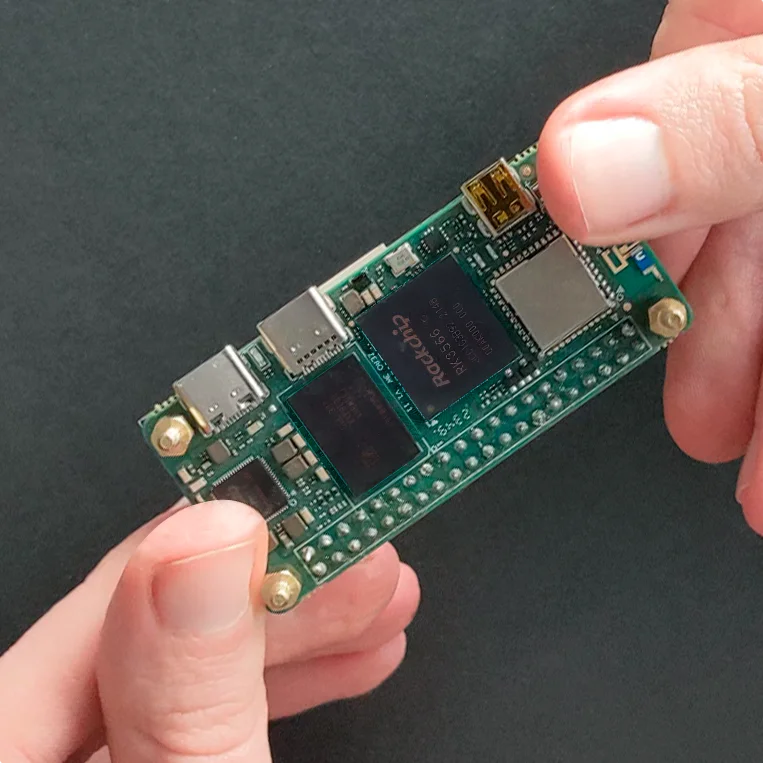
The Radxa Zero 3W single-board computer held in hands, showcasing the Rockchip RK3566 SoC and LPDDR4X RAM chips that power the KVM 2.0.

Client Application

The client application is the control surface for your workstation or laptop. It manages live sessions, virtual devices, and snapshot-aware recovery workflows.

WindowsmacOSLinuxAndroidiOS
x86_64Download-Download--
ARM64-Download-DownloadApp Store
x86_64ARM64
WindowsDownload-
macOS-Download
LinuxDownload-
Android-Download
iOS-App Store

What is included

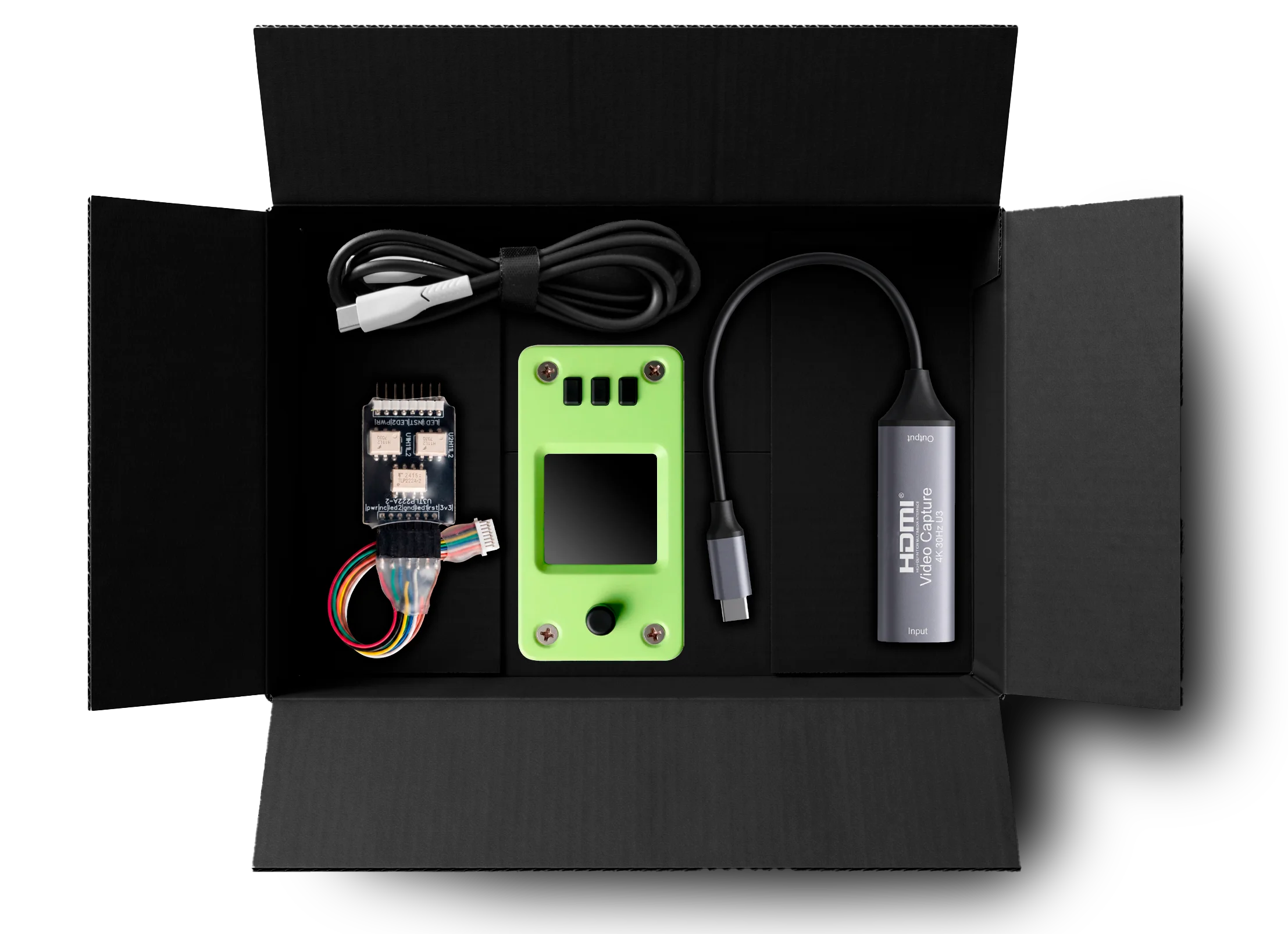
What is included in the USBridge KVM 2.0 package

List of distinct parts included in the box:

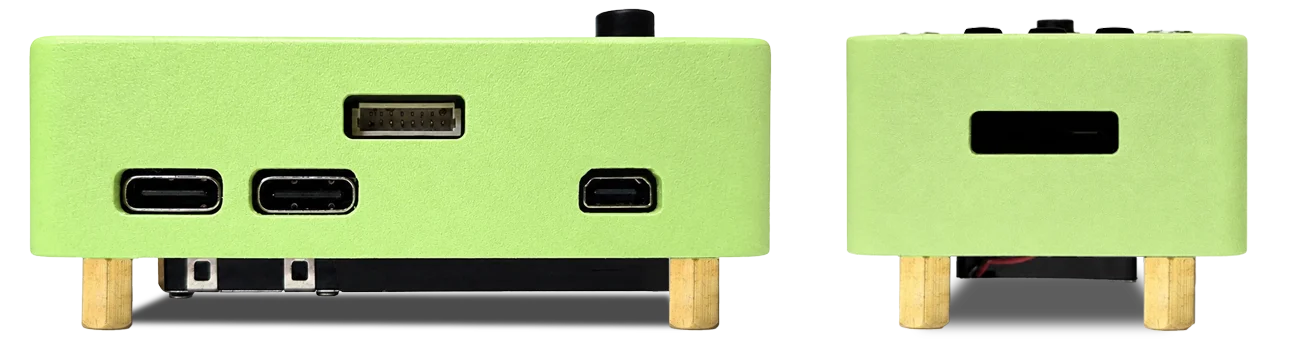
  • USBridge-KVM 2.0 Main Assembly (Radxa Zero 3W, custom display board, active heatsink/fan inside the SLS Nylon enclosure).
  • External USB HDMI Video Capture Dongle.
  • Power Management Module (Power/Reset Control Adapter Board).
  • USB Type-C Cable.
  • 8-pin Dupont jumper wire harness (for Power Management Module connection).
  • Pre-installed MicroSD Card (pre-configured firmware with Btrfs snapshot partition).

Documentation

Still have questions? Explore the docs, review the source, or visit the Crowd Supply campaign for more product details.

Core Platform & PerformanceIP-KVM latency and processing

What makes USBridge-KVM 2.0 different from traditional IP-KVM appliances?

USBridge-KVM 2.0 provides ultra-low latency by natively embedding the Moonlight streaming protocol. Powered by the Radxa Zero 3W (RK3566 SoC), it achieves 25–50 ms latency at 720p and 50–75 ms at 1080p, delivering a smooth, direct-connection feel that drastically outperforms legacy hardware.

How does the BIOS-in-Terminal feature work over SSH?

The hardware intercepts the raw HDMI signal and uses an on-board offline text recognition (OCR) engine to convert graphical pre-boot environments into an interactive text stream. I designed this to run completely offline, allowing you to access and configure your BIOS via a standard terminal SSH session. This text-based output also enables autonomous bare-metal management via AI agents using the Model Context Protocol (MCP).

Security & Immutable StorageRansomware-proof backups and data isolation

How does the KVM protect bare-metal backups from ransomware?

I built the core design of the immutable snapshot engine to ensure your user data and system states cannot be encrypted, overwritten, or deleted externally. Thanks to strict hardware isolation, even if malware gains full root privileges on the target server, they physically cannot overwrite or delete the backups and snapshots stored on the KVM.

How does the Btrfs snapshot engine handle new data?

When changes occur, the system never overwrites the original data files—it only records the delta (change differential) and instantly freezes the new data state as read-only. Built on the open Btrfs filesystem, there is zero vendor lock-in.

Virtual Media & DeploymentRemote OS installation and disk mounting

Can I use USBridge-KVM to install an operating system remotely without a PXE server?

Yes, it acts as a complete replacement for complex PXE boot infrastructures. Through hardware-level drive emulation, you can mount ISO, VDI, or VMDK images from your local machine, and the target server will instantly recognize the mounted image as a standard physical hard drive.

Will mounting a remote drive modify my original golden image?

No, it will not. I integrated a dedicated Read-Write Overlay mode that redirects all new session writes to a separate layer, keeping your master image completely untouched.

Out-of-Band Power & AccessHardware-level control and VPN routing

Can I remotely restart a server if the operating system completely freezes?

Yes, the KVM features a dedicated Hardware Power Management expansion module for direct server power control. By connecting directly to the front-panel jumper connections, you can perform clean shut-downs, hard resets, or cold power-ups bypassing the target OS.

Do I need to configure router port forwarding for remote access?

No, you achieve zero-config NAT traversal even when routing traffic remotely over secure Tailscale networks. I embedded Tailscale integration for seamless, secure NAT traversal with minimal overhead.

guest@usbridge:~/menu$ ls -la

total 6

guest@usbridge:~/menu$